
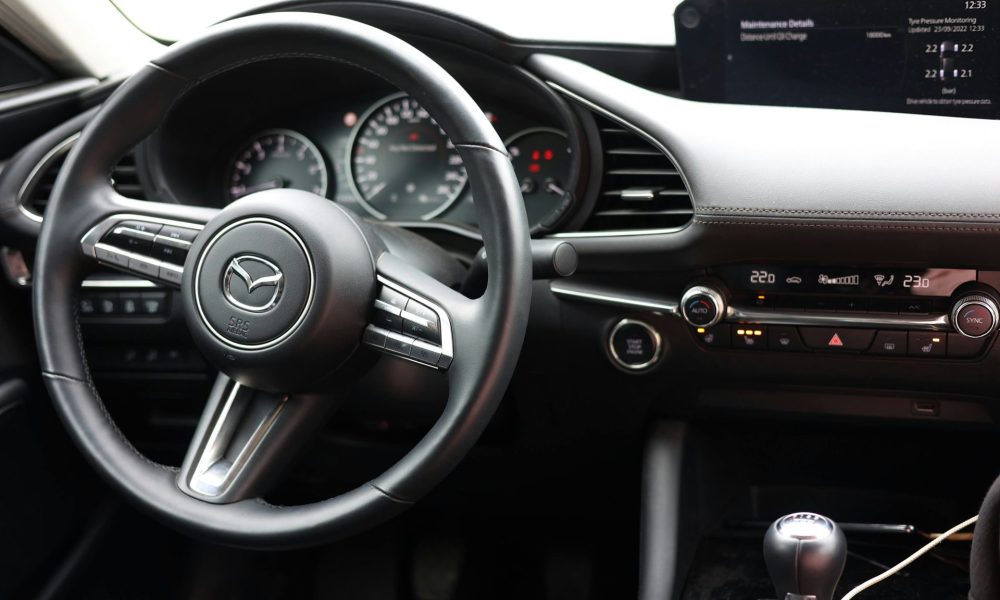
Mazda vehicles equipped with factory navigation systems require compatible SD cards to store and update map data. These systems, found in models from 2014 onwards, use specific SD card formats designed for Mazda’s infotainment platforms including Mazda Connect and earlier MZD Connect systems.
What Mazda Navigation SD Cards Contain
Mazda navigation SD cards store detailed road maps, points of interest databases, and route calculation data for specific geographic regions. Cards typically range from 8GB to 32GB capacity depending on coverage area and map detail level.
Standard card contents include:
- Street-level maps with turn-by-turn navigation data
- Speed limit information and traffic sign recognition databases
- POI databases covering fuel stations, restaurants, parking facilities, and emergency services
- Junction view graphics for major highway interchanges
- Voice guidance files in multiple languages
Map coverage varies by region. European cards cover 45+ countries across Western and Eastern Europe. North American cards include the United States, Canada, and Mexico with detailed coverage down to rural routes and unpaved roads in remote areas.
Compatible Mazda Models and Systems
Mazda navigation SD cards work with specific model years and trim levels. Compatibility depends on the infotainment system installed at the factory.
Mazda Connect systems (2014-2024):
- Mazda3 (2014-2024) – GT and higher trims
- Mazda6 (2014-2024) – Sport and higher trims
- CX-3 (2016-2024) – Touring and higher trims
- CX-5 (2013-2024) – Touring and higher trims
- CX-9 (2016-2024) – Touring and higher trims
- MX-5 (2016-2024) – GT trims with navigation package
Earlier TomTom-based systems (2012-2014):
- Mazda3 (2012-2013) – requires TomTom-formatted cards
- Mazda6 (2012-2013) – requires TomTom-formatted cards
- CX-5 (2012-2013) – requires TomTom-formatted cards
Cards designed for Mazda Connect systems do not work with earlier TomTom-based units. Check your vehicle’s infotainment screen startup display to identify which system you have. Mazda Connect displays the Mazda Connect logo during boot, while TomTom systems show TomTom branding.
SD Card Specifications and Format Requirements
Mazda navigation systems require SD cards formatted to specific standards. Using incorrect card types causes read errors or system failures to recognize map data.
Technical specifications:
- Card type: SDHC (8GB-32GB) or SDXC (64GB) depending on model year
- Speed class: Class 10 minimum recommended for smooth map rendering
- Format: FAT32 file system (NTFS and exFAT not supported)
- Manufacturer compatibility: SanDisk, Samsung, and Kingston cards verified compatible
2014-2018 models typically use 8GB to 16GB cards. 2019-2024 models with expanded map databases require 16GB to 32GB cards. Always verify your specific model year requirements before purchasing.
Map Update Frequency and Versions
Mazda releases map updates 1-2 times per year depending on region. Updates include new road construction, modified speed limits, updated POI databases, and revised traffic patterns.
Update schedule by region:
- Europe: Two updates annually (spring and autumn releases)
- North America: One major update annually (typically Q3)
- Australia/New Zealand: One update annually (summer release)
Each update version includes a specific release date and version number printed on the card packaging. For example, European version 2024-2 indicates the second 2024 release. Installing older versions over newer ones causes navigation errors and incorrect routing.
Installation Process
Installing a Mazda navigation SD card takes 2-5 minutes depending on system type.
Installation steps for Mazda Connect systems:
- Turn off the vehicle ignition completely
- Locate the SD card slot behind the infotainment screen or inside the center console storage compartment (location varies by model year)
- Remove existing SD card if present by pressing inward until it clicks and releases
- Insert new SD card with metal contacts facing down and label facing up
- Push card firmly until it clicks into place
- Start the vehicle and wait for the system to recognize the new map data
- Navigate to Settings > Navigation > Map Information to verify version number
The system performs an initial scan of map data during first startup after card installation. This scan takes 1-3 minutes. Do not remove the SD card or turn off the vehicle during this process.
Compatibility Verification Steps
Before purchasing a Mazda navigation SD card, verify compatibility with your specific vehicle.
Check these details:
- Model year – Confirm your vehicle’s manufacture year matches the card’s supported range
- Trim level – Navigation systems only appear in mid-to-high trim packages
- Infotainment system version – Identify whether you have Mazda Connect or TomTom-based system
- Region coding – Cards are region-locked to North America, Europe, or Asia-Pacific zones
- Current firmware version – Some map updates require minimum firmware versions
Access your current system information through Settings > System > About. This screen displays firmware version, current map version, and system type. Match these details against card specifications before ordering.
Regional Coverage Details
Map coverage varies significantly between regional card versions. Purchasing the wrong region card renders the navigation system unusable.
European coverage (typical 32GB card):
Maps for 45 countries including UK, Ireland, France, Germany, Spain, Italy, Netherlands, Belgium, Poland, Czech Republic, Austria, Switzerland, Portugal, and Scandinavia. Includes major islands such as Corsica, Sardinia, Sicily, and the Balearic Islands.
North American coverage (typical 16GB card):
Complete street-level maps for USA and Canada, plus major Mexican highways and cities. Includes Alaska, Hawaii, and Puerto Rico. Rural coverage extends to unpaved Forest Service roads and BLM routes in Western states.
Asia-Pacific coverage:
Region-specific cards cover Australia and New Zealand as separate releases. Japanese domestic market cards cover Japan only and do not work with export-market Mazda vehicles.
Troubleshooting Common Issues
Navigation SD card problems typically stem from incorrect formatting, incompatible card versions, or corrupted data files.
Card not recognized:
- Remove and reinsert card ensuring correct orientation
- Check card format is FAT32 not NTFS or exFAT
- Verify card capacity does not exceed system maximum (32GB for most 2014-2020 models)
- Test card in different SD card reader to rule out physical damage
Maps display but routes calculate incorrectly:
- Confirm card region matches vehicle region coding
- Check map version is newer than currently installed firmware
- Perform system reset through Settings > System > Factory Reset (preserves radio presets and Bluetooth pairings)
Slow map loading or lag during navigation:
- Verify SD card speed class meets minimum Class 10 specification
- Check for counterfeit cards purchased from unauthorized sellers
- Replace cards older than 5 years as flash memory degrades over time
Why Choose Navi-World for Mazda Navigation SD Cards
Navi-World stocks genuine Mazda-compatible navigation SD cards with verified compatibility across model years 2012-2024. All cards ship with current map versions and include region-specific coverage options.
Customer advantages:
- Compatibility verification support before purchase
- Current map versions confirmed before shipping
- Genuine manufacturer cards, not counterfeit copies
- Region-specific cards for Europe, North America, and Asia-Pacific
- Technical support for installation and troubleshooting
Cards ship with documentation specifying exact model year compatibility, map version numbers, and covered countries. Customers receive installation guides specific to their vehicle model and infotainment system type.
Purchasing Considerations
When selecting a Mazda navigation SD card, prioritize compatibility verification over price. Incompatible cards cannot be returned once opened due to digital content licensing restrictions.
Before ordering, confirm:
- Your exact Mazda model and year
- Current infotainment system type (Mazda Connect vs TomTom)
- Required map region and coverage area
- Whether your vehicle has navigation hardware installed
- Current installed map version to ensure upgrade compatibility
Mazda vehicles without factory navigation hardware cannot add navigation functionality through SD card purchase alone. Navigation requires specific GPS antenna, controller module, and screen hardware installed during vehicle manufacturing or through dealer retrofit.
Contact Navi-World’s compatibility support team with your vehicle VIN to verify exact card requirements before purchase. VIN-based verification eliminates compatibility errors and ensures correct regional formatting.



 Bitcoin
  Ethereum
  Tether
  BNB
BNB  XRP
XRP  USDC
USDC  Solana
  TRON
TRON  Lido Staked Ether
  Cardano
  Avalanche
  Toncoin