The Small Business Owner’s Complete Guide to E-Invoice Software: From Paper Chaos to Digital Efficiency
- E-invoice software replaces paper invoices with secure digital ones
- It saves time, reduces errors, and improves cash flow
- E-invoicing software for small businesses is affordable and easy to use
- Key features include automation, tax compliance, and payment tracking
- Choosing the right tool depends on your business size, budget and needs
Running a small business often means juggling a thousand things (if not more) at once. Paper invoices and spreadsheets may work at first, but they quickly become time-consuming and error-prone as your business grows. Some of these problems can be solved with an e-invoice software. They are designed to simplify billing, improve accuracy, and speed up payments. Digital invoicing tools also help small businesses move from the chaos of paperwork and help streamline processes, even without advanced technical skills.
What is E-Invoice Software?
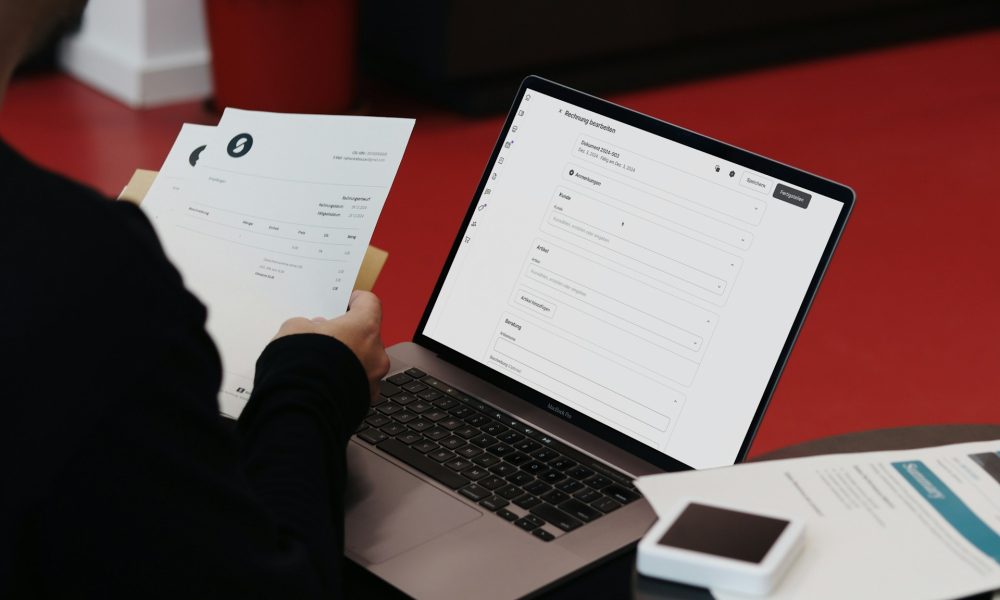
Simply put, the invoice software allows businesses to create, send, receive, and manage invoices. Instead of printing, posting, or manually emailing PDFs, invoices are generated digitally and often sent directly to customers through secure platforms or email.
How It Works
- Create an invoice using a template
- Automatically calculate taxes and totals
- Send the invoice electronically
- Track delivery, views, and payments
- Store invoices securely in the cloud for future reference
Why E-Invoice Software Matters for Small Businesses
Small businesses lose valuable time and money due to:
- Manual data entry
- Lost or delayed invoices
- Payment follow-ups
- Human errors in calculations
E-invoice software solves these problems by automating the invoicing process. It can free up hours each week. This frees up time to spend on activities that add real value to your small business’s growth.
Immediate Benefits of E-Invoice Software at a Glance
- Faster invoice creation
- Quicker payments
- Improved cash flow visibility
- Fewer errors
- Easier tax compliance
Key Features to Look for in E-Invoicing Software for Small Businesses
Not all tools are created equal. When evaluating e invoicing software for small businesses, always choose a solution that offers features that would be suitable for your business. Generally, you should look for the following:
1. Easy Invoice Creation
- Customisable templates
- Options to add logos and change colours
- Multi-currency support
2. Automation
- Automated recurring invoices creation
- Automatic tax calculations
- Payment reminders
3. Payment Tracking
- Real-time payment status
- Overdue invoice alerts
- Integrated payment gateways
4. Compliance & Security
- VAT compliance
- Data encryption
- Audit trails
5. Cloud Access
- Access invoices anytime, anywhere
- Automatic backups
- Multi-device compatibility
How E-Invoice Software Improves Cash Flow
Late payments are one of the biggest challenges for small businesses.
E-invoice software helps by:
- Sending invoices instantly
- Including “pay now” options
- Triggering automated reminders
- Offering clear payment due dates
Many businesses report receiving payment days or even weeks sooner after switching to digital invoicing.
Is E Invoicing Software Expensive?
This is a common concern, but the answer is reassuring. The return on investment is often immediate. Most e invoicing software for small businesses offer affordable monthly plans. They are flexible enough to scale with your business and generally cost less than the time spent on manual invoicing. So, when you factor in saved hours, reduced errors, and faster payments, the price of e invoicing software feels worth it.
How to Choose the Right E-Invoice Software
The most basic rule is to avoid overly complicated systems. Here’s a simple checklist that you should look at to help you decide the right e-invoicing software for your small business:
- Is it easy to use without training?
- Can it integrate with your accounting software?
- Does it fit your budget?
- Is customer support reliable?
Common Mistakes to Avoid When Switching to E-Invoicing
- Choosing software with unnecessary features
- Ignoring compliance requirements
- Not training staff properly
- Failing to customise invoice templates
- Overlooking customer payment preferences
Final Thoughts
Moving from paper invoices to e-invoice software is one of the most impactful upgrades a small business can make. It is simple, yet it saves time, improves accuracy, enhances professionalism, and strengthens cash flow. This makes digital invoicing a smart move for every small business to grow efficiently.
FAQs
1. What is the difference between e-invoice software and accounting software?
E-invoice software focuses on invoicing, billing, and payments, while accounting software manages broader financial records. Many tools integrate both.
2. Can very small businesses use e invoicing software?
Absolutely. E invoicing software for small businesses is designed to be simple, affordable, and scalable.
3. Is my data safe with e-invoice software?
Reputable providers use encryption, secure servers, and regular backups to protect data.
4. How long does it take to switch from paper to e-invoicing?
Most businesses can transition in a few hours, especially when using cloud-based solutions.


 Bitcoin
  Ethereum
  Tether
  BNB
BNB  USDC
USDC  XRP
XRP  Solana
  TRON
TRON  Lido Staked Ether
  Cardano
  Gram (prev. Toncoin)
  Avalanche